Guidance
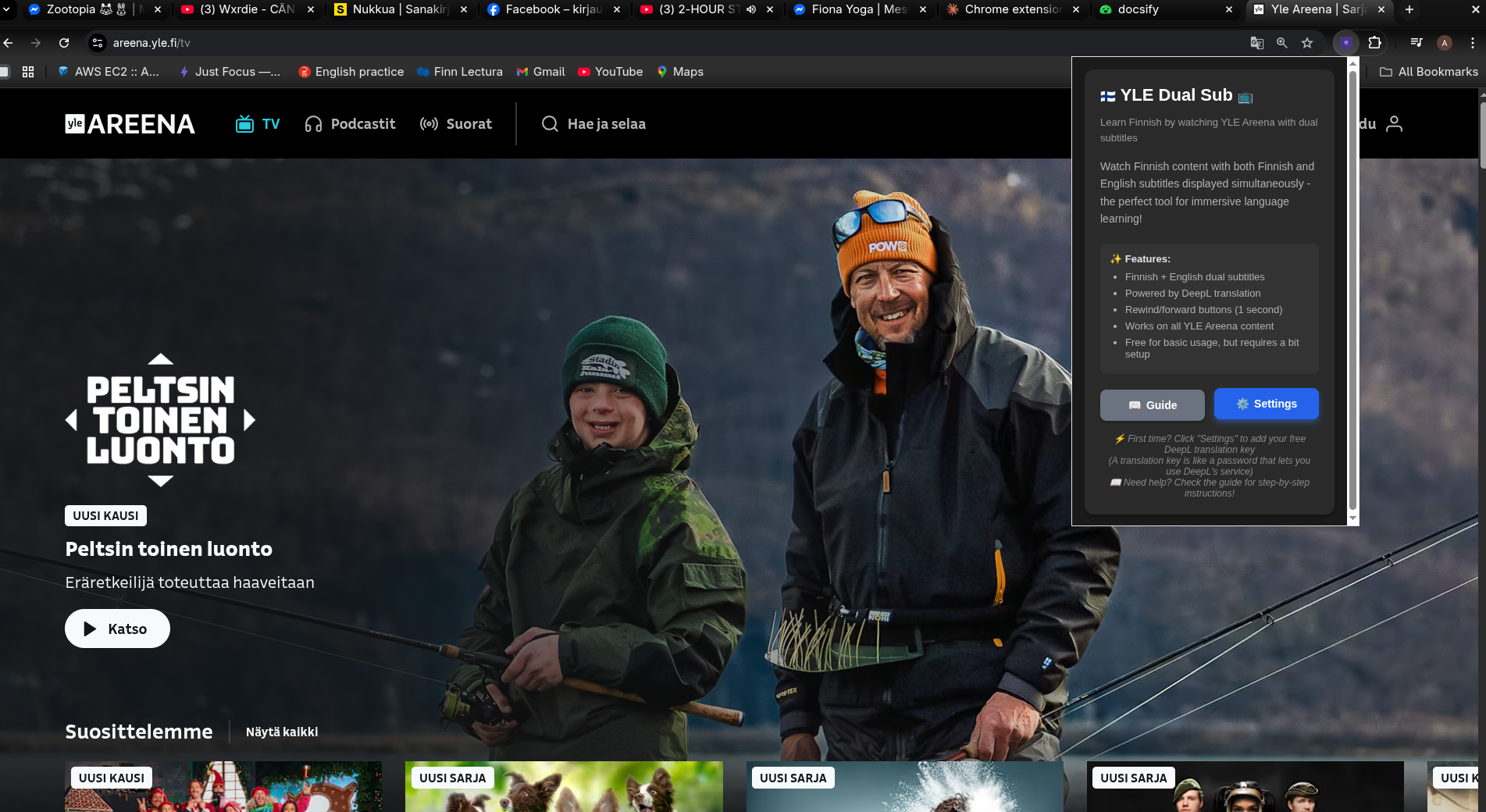
This page provides step-by-step instructions on how to set up and use the extension.
Installation
-
Click "Add to Chrome".
-
Open Extension popup and click
Settingsbutton. -
-
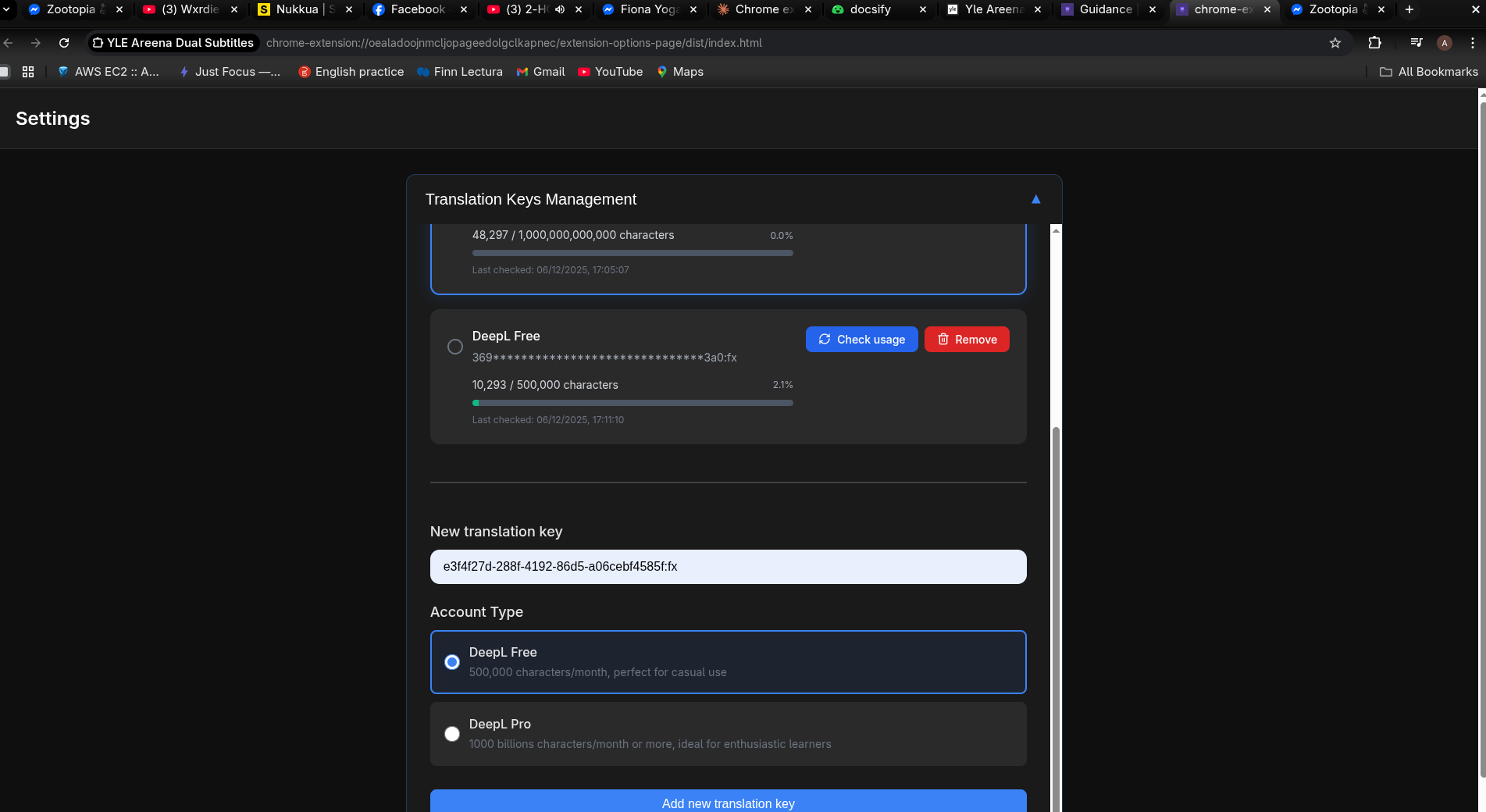
Add your
DeepL Translation Key. -
-
(Optional) Select your preferred translation language from the dropdown (default is English). You can choose from Vietnamese, Japanese, Spanish, and all other languages supported by DeepL.
-
Open YLE Areena TV and enjoy.
-
Remember to turn on subtitle
Tekstitykset.Ohjelmatekstitysand toggle onDual Subswitch on the bottom bar.
Here is the extension demo video if you want to see the whole usage flow.
Setting Up Your Translation Key
ℹ️ What is a translation key? How do I get one?
📖 What is a translation key (API key)?
A translation key is like a password that allows this extension to use DeepL's translation service. It's completely free for basic usage!
⚠️ Important: You'll need a credit card to sign up for DeepL's API, but the free tier is 100% free - you won't be charged unless you choose to upgrade to a paid plan.
🤔 Why do I need to set this up?
You might wonder: "Other dual-sub extensions like Language Reactor, Trancy, and InterSub work instantly—why not this one?"
Here's the truth: Free services either use low-quality translation APIs, run at a loss (subsidized by premium users), or monetize your data. 💰
I built this extension differently because I believe you deserve:
- ✨ Best-in-class translations – DeepL provides high-quality translations to 30+ languages including English, Vietnamese, Japanese, and more
- 🔒 Complete privacy – No data collection, no ads, no tracking
- ♻️ Sustainability – No active maintenance burden on my end
- 🆓 Truly free – DeepL's free tier gives you 500,000 characters/month!
Yes, it takes 5-10 minutes for one-time setup, but you get premium quality without compromise. Worth it? I think so! 😊
🔑 How to get your free translation key (one-time setup):
📺 Video walkthrough (recommended): Watch 1 min tutorial from Youtube
📝 Step-by-step instructions:
-
Sign up for a free DeepL account
Visit DeepL Account Signup and create your account
-
Select your DeepL API plan
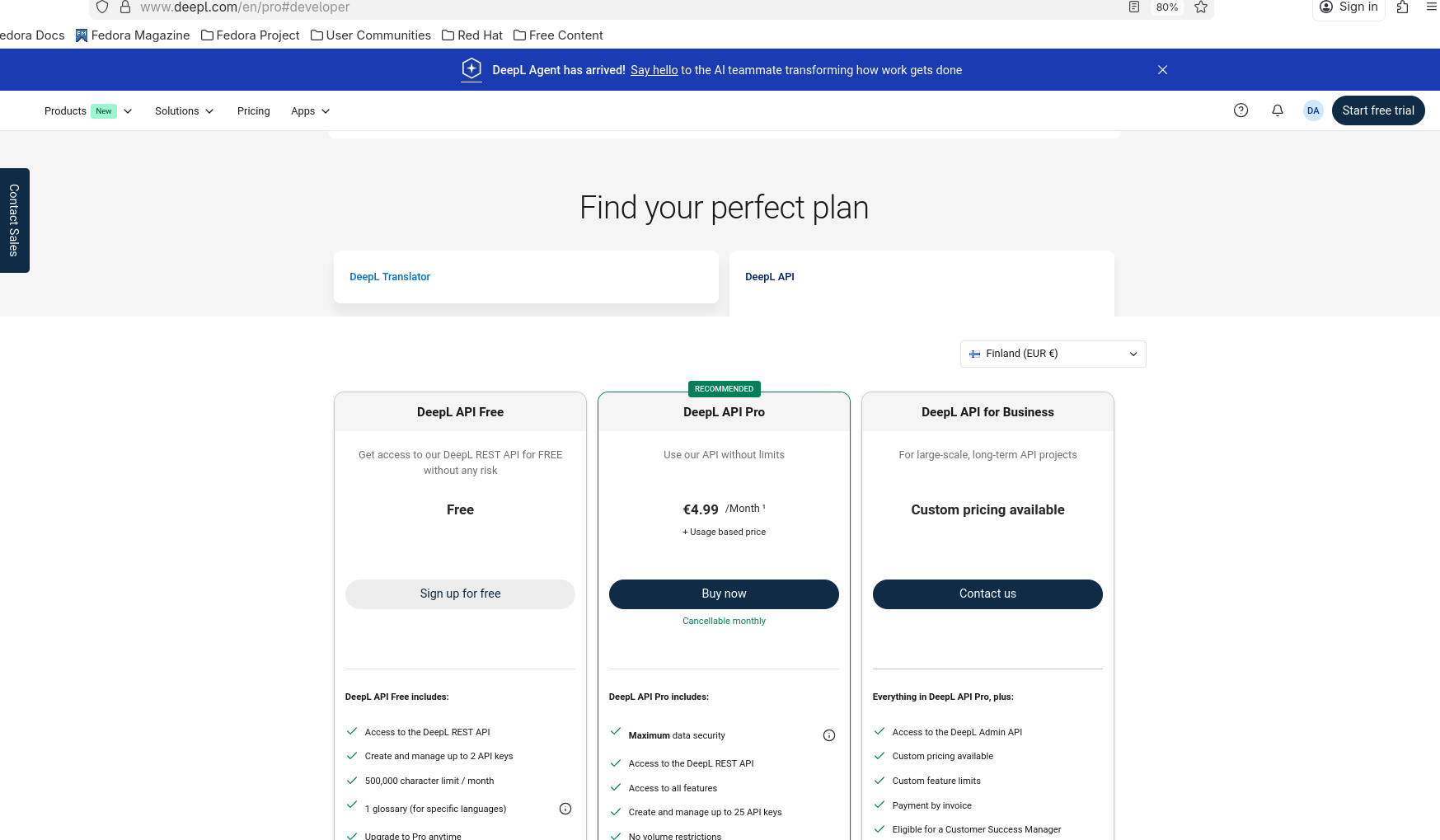
Go to DeepL Developer Page, look for "Find your perfect plan", then click the "DeepL API" tab. Select either Free or Pro plan depending on your needs.
-
Create your free subscription
Click "Sign up for free" under the DeepL API Free plan (for Pro users, click "Buy now").
💳 You'll be asked for a credit card, but it won't be charged for the free plan
-
Create your API key
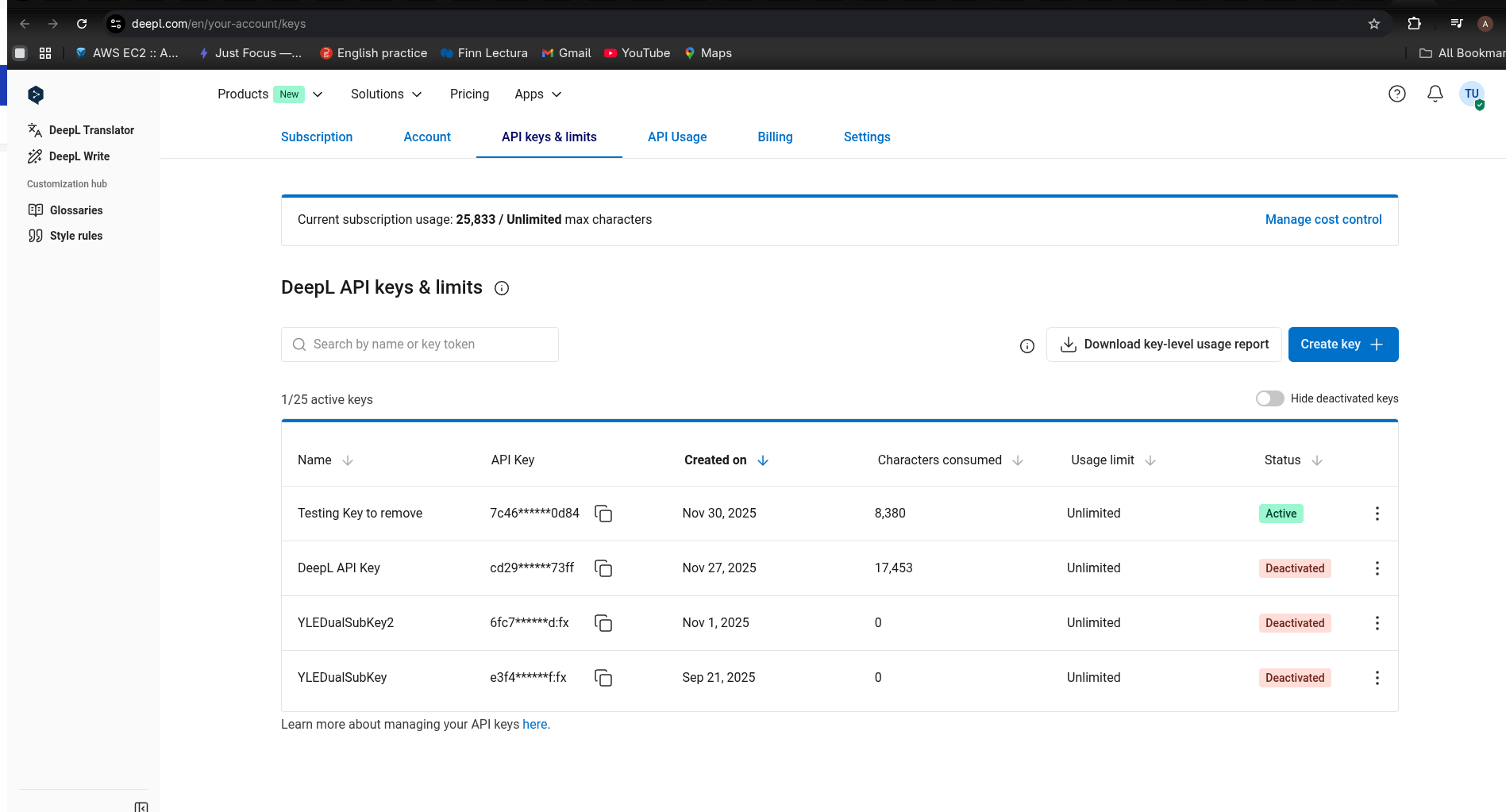
After the subscription has been made, go to DeepL Key Page. Click the "Create Key" button and give it a name (e.g., "YLE Dualsub translation key")
-
Copy your key
Your API key will look like this:
- Free tier:
fcb8779e-4837-4e2f-99ef-1ac7255d2ed2:fx(ends with :fx) - Pro tier:
fcb8779e-4837-4e2f-99ef-1ac7255d2ed2(no :fx suffix)
- Free tier:
-
Paste it in the extension
Copy the entire key and paste it in the extension's options page, select your account type (Free/Pro), and click "Add new translation key"
🎉 That's it! Your extension is now ready to provide high-quality translations.
📚 Need more help? View the official DeepL guide
💡 Pro Tip: Supporting DeepL
If you need more than 500,000 characters/month, consider upgrading to DeepL Pro! It's a great way to support DeepL's awesome translation technology. You can add up to 2 translation keys to this extension.